StorageDump
StorageDump is a free, open-source Chrome extension that inspects and exports everything a website stores in your browser — cookies (including HttpOnly and partitioned), localStorage, sessionStorage, IndexedDB, Cache Storage and service workers — as lossless JSON or ZIP, entirely on your machine.
Version 0.2.1 · MIT licensed · Manifest V3.
Add to Chrome View on GitHub WebsiteInstall
Chrome Web Store
Install from the Chrome Web Store listing.
From source
git clone https://github.com/nsozturk/storagedump.git
cd storagedump
npm install
npm run buildThen open chrome://extensions, enable Developer mode, click Load unpacked and select the generated dist/ folder.
Usage
- Open the site you want to inspect.
- Click the StorageDump toolbar icon.
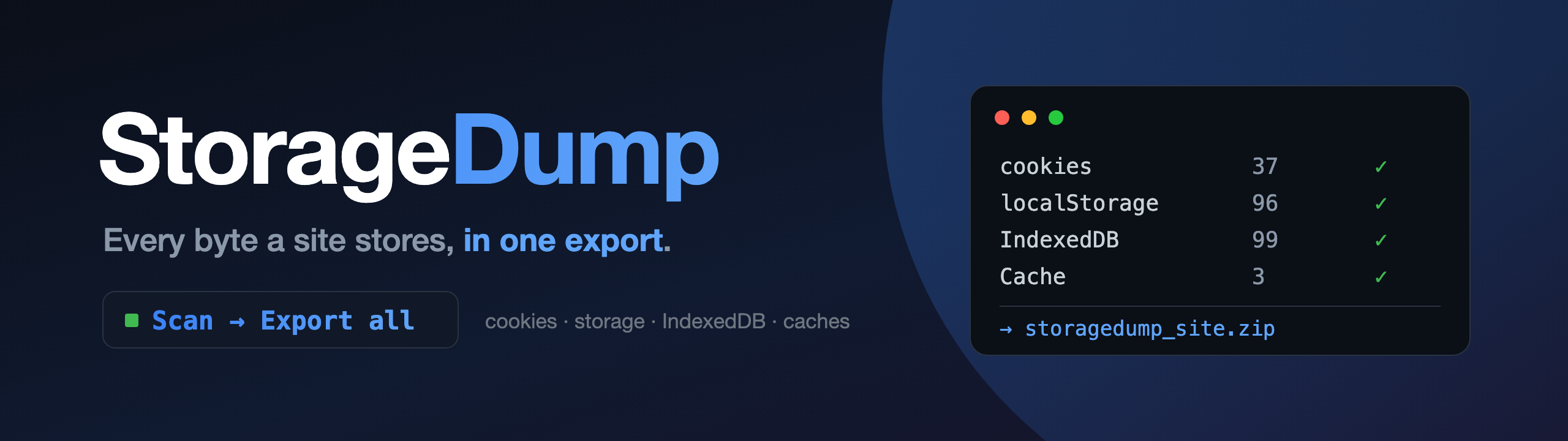
- Press Scan. Every storage type found is listed with counts.
- Press Export all for a JSON or ZIP file in your Downloads folder, or Open dashboard to browse, filter, edit and export selectively.
Features
One panel, 7 storage types
Cookies, localStorage, sessionStorage, IndexedDB, Cache Storage, Service Workers and extension storage.
All frames
Reads every frame of the page, including cross-origin iframes.
IndexedDB drill-down
Browse databases, stores and records; Map, Set, BigInt and cyclic values are preserved.
Cache bodies
Text bodies are exported as text; binary bodies as base64 when "Skip binary bodies" is off.
JSON or ZIP export
ZIP includes a manifest, splits large files, and can optionally mask sensitive values.
Mutation console
Edit or delete individual entries directly from the dashboard.
Export history
Every export is logged with a SHA-256 checksum so you can verify files later.
On-demand only
Nothing is read in the background. No server, no analytics. Files go to Downloads.
Privacy & Permissions
StorageDump runs entirely inside your browser. It reads site storage only when you click, has no server and no analytics, and writes exports to your Downloads folder. Read the privacy policy. See also docs/privacy.md and docs/permissions.md on GitHub.
| Permission | Why it is needed |
|---|---|
activeTab | Scope actions to the tab you click on. |
scripting | Inject the page runtime on demand to read web storage. |
storage | Persist settings and export history metadata. |
downloads | Save JSON and ZIP exports to Downloads. |
tabs | Resolve the active tab and open the dashboard. |
cookies | Read and edit cookies, including HttpOnly and partitioned ones. |
<all_urls> (host) | Needed to read the storage and cookies of whatever site you inspect. Used only when you click. |
Development & Testing
npm run typecheck # TypeScript checks
npm test # unit tests (vitest)
npx playwright install chromium # once, for e2e
npm run test:e2e # builds and runs the 29-case Playwright dashboard test
npm run pack # build the Chrome Web Store zipThe e2e suite includes layout-stability checks for the dashboard.
FAQ
How do I export all cookies including HttpOnly ones from Chrome?
Install StorageDump, open the site, click the toolbar icon, press Scan, then Export all. Cookies are read through the Chrome cookies API, so HttpOnly and partitioned cookies are included in the JSON or ZIP export.
How do I export localStorage and IndexedDB for a site?
Click the toolbar icon on the site, press Scan, then Export all (or open the dashboard to pick individual stores). localStorage, sessionStorage and IndexedDB, including Map, Set, BigInt and cyclic values, are written to a lossless JSON or ZIP file in your Downloads folder.
Does StorageDump send my data anywhere?
No. It reads storage only when you click, has no server, no analytics and no background reads. Exports stay on your machine unless you share them.
Is StorageDump an alternative to EditThisCookie or Get cookies.txt LOCALLY?
Yes, for inspecting and exporting browser data. StorageDump covers cookies like those tools do, and also localStorage, sessionStorage, IndexedDB, Cache Storage, service workers and extension storage in one panel.
Why does StorageDump need access to all sites?
To read the storage and cookies of whichever site you choose to inspect, Chrome requires a host permission. StorageDump declares <all_urls> but only acts on the tab you click it on, on demand.
Alternatives
StorageDump is one option among several tools for inspecting browser data. Factual comparison, no endorsement implied:
| Tool | Focus |
|---|---|
| EditThisCookie | Viewing and editing cookies. |
| Cookie-Editor | Viewing, editing and exporting cookies. |
| Get cookies.txt LOCALLY | Exporting cookies in Netscape cookies.txt format. |
| Chrome DevTools Application panel | Built-in inspection of storage per site; no bulk lossless export. |
| StorageDump | Cookies plus localStorage, sessionStorage, IndexedDB, Cache Storage, service workers and extension storage, exported as JSON or ZIP. |